OpenUI
A generative UI engine: prompt in, usable interface out.
Ask about this project — or anything Rahul's built.
I didn't draw the screens. I built the thing that draws them.
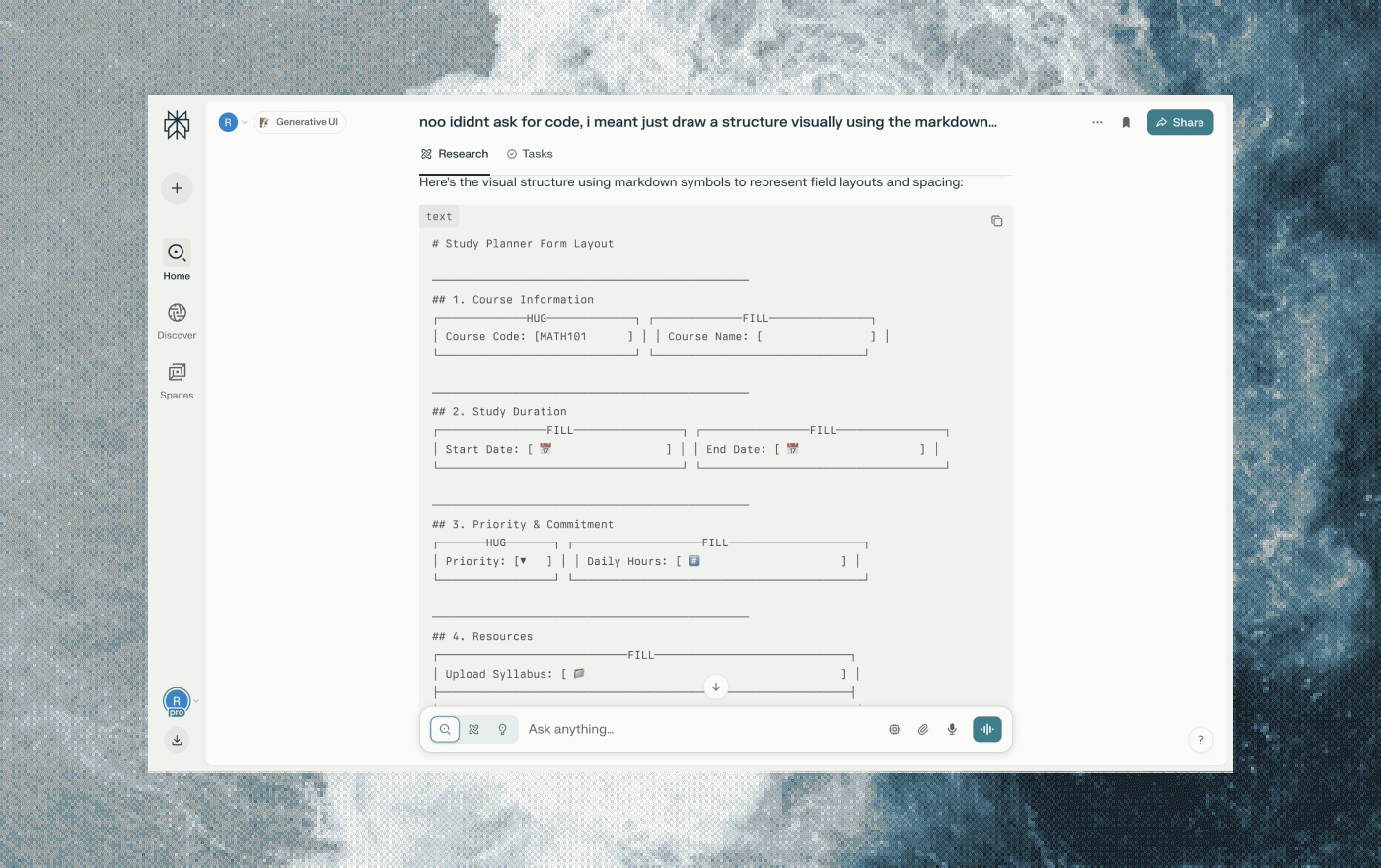
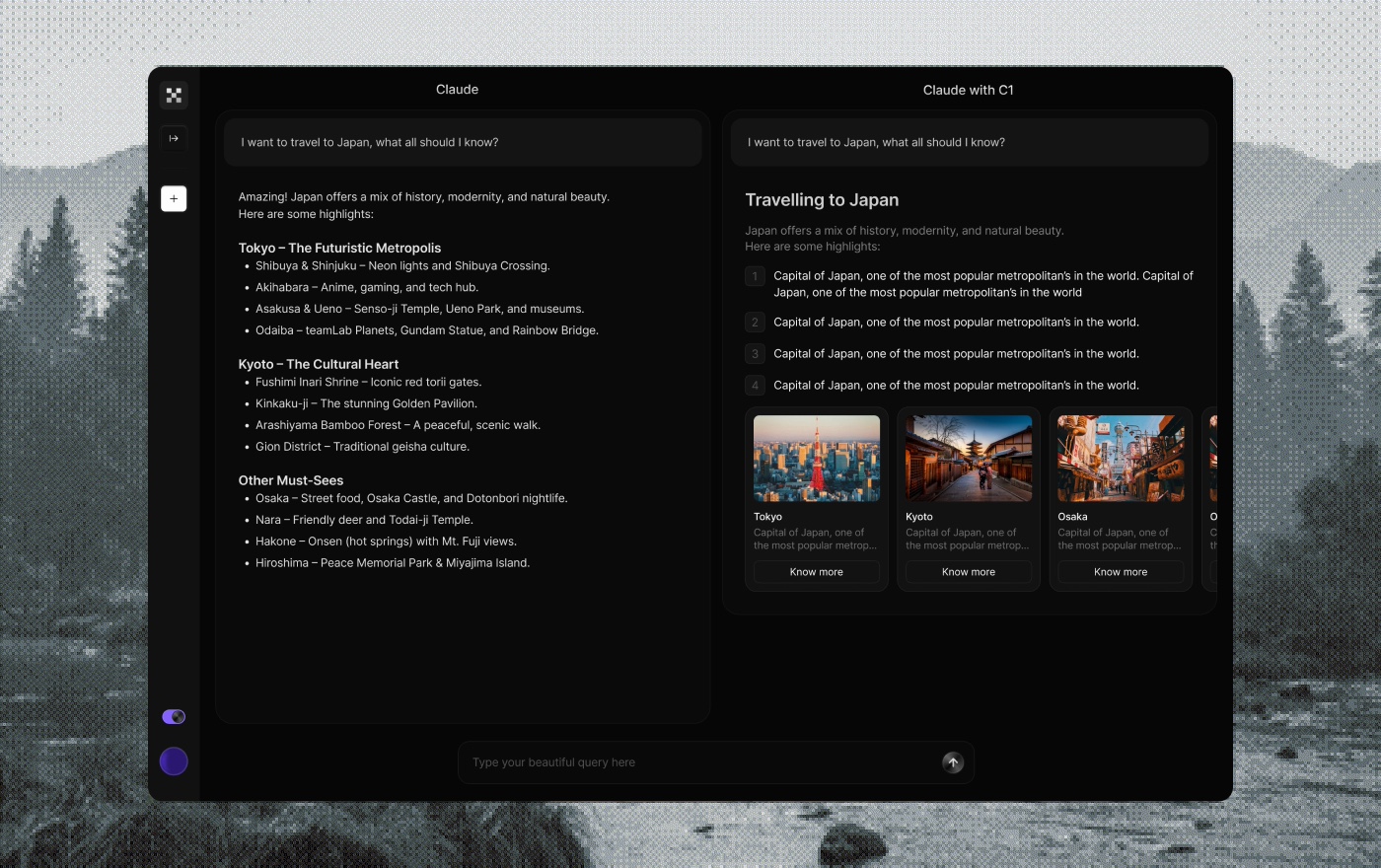
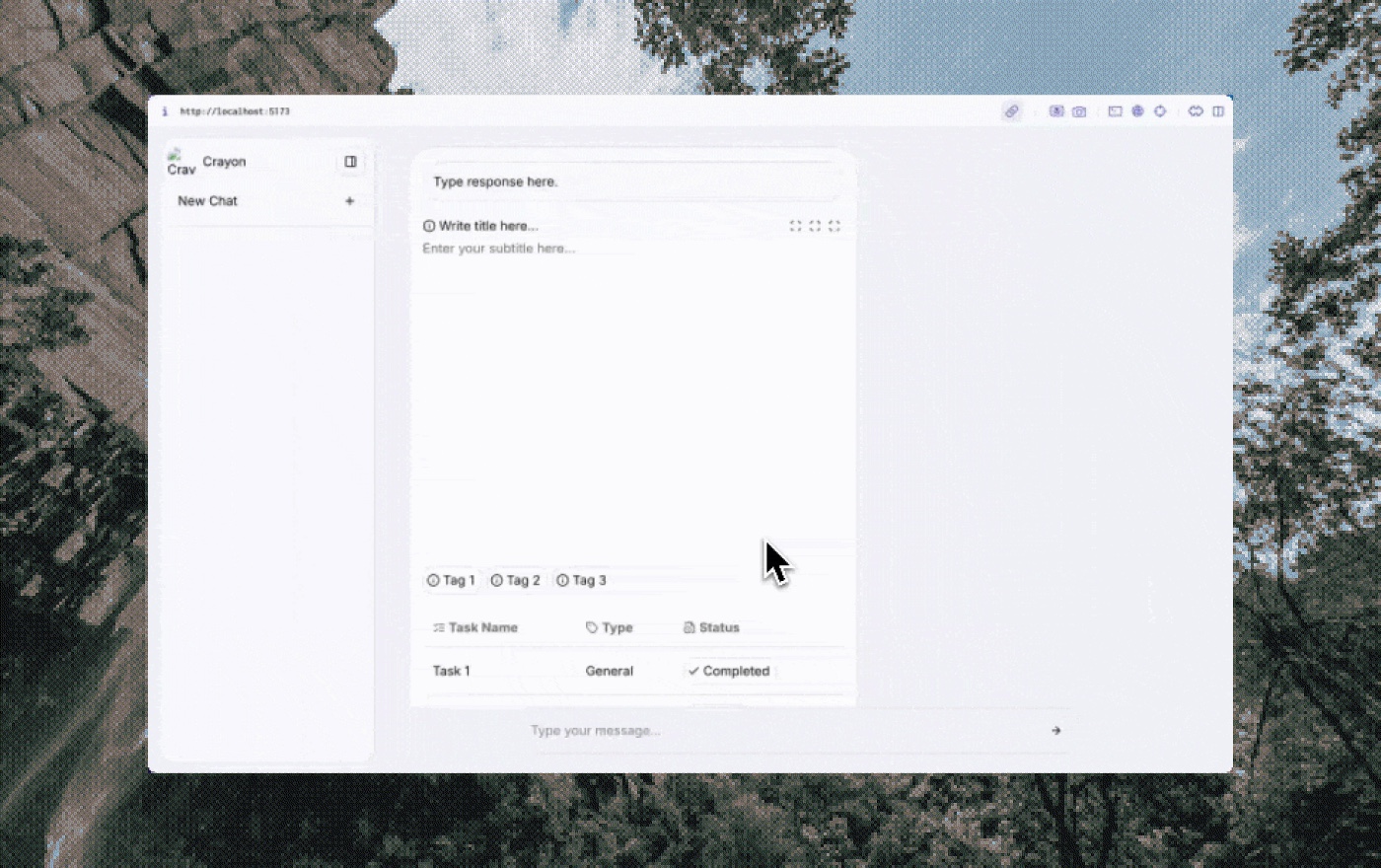
Most AI agents answer with a wall of text. OpenUI makes them answer with real interface, built in real time.
One engine, a different UI for every user, generated on the fly.
I built the initial framework: the rules the AI reasons with, the blocks it assembles, the logic that keeps the output coherent.
The hard part wasn't drawing one screen. It was building a system that draws any screen and gets it right (usable, accessible, on brand) with no person in the loop. That's the work here: the framework the agent builds with, the console developers work in, and the theming engine that keeps every generated interface coherent.
OpenUI (previously C1) is a generative UI engine, built at Thesys. It turns an AI agent's output into a live, working interface in real time (charts, forms, dashboards) instead of a wall of text.
We started with agents because it was the easier place to begin, and easier to sell. But generative UI is a bigger idea. Taken all the way, any screen could render in real time, built for the person looking at it. Picture Paytm's hundred features: my top five aren't yours. Generative UI renders the screen around each user's actual use.
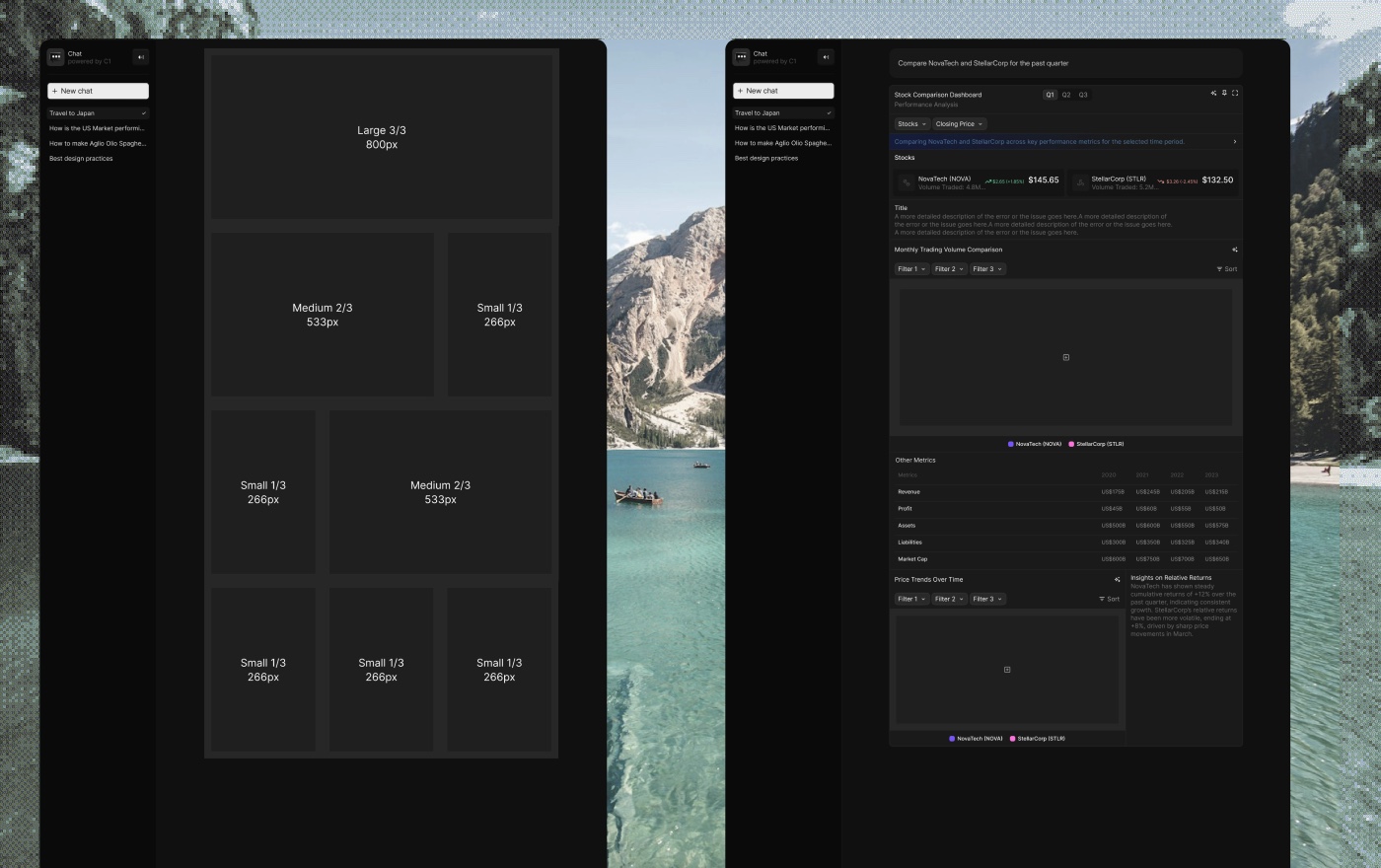
Generative UI framework
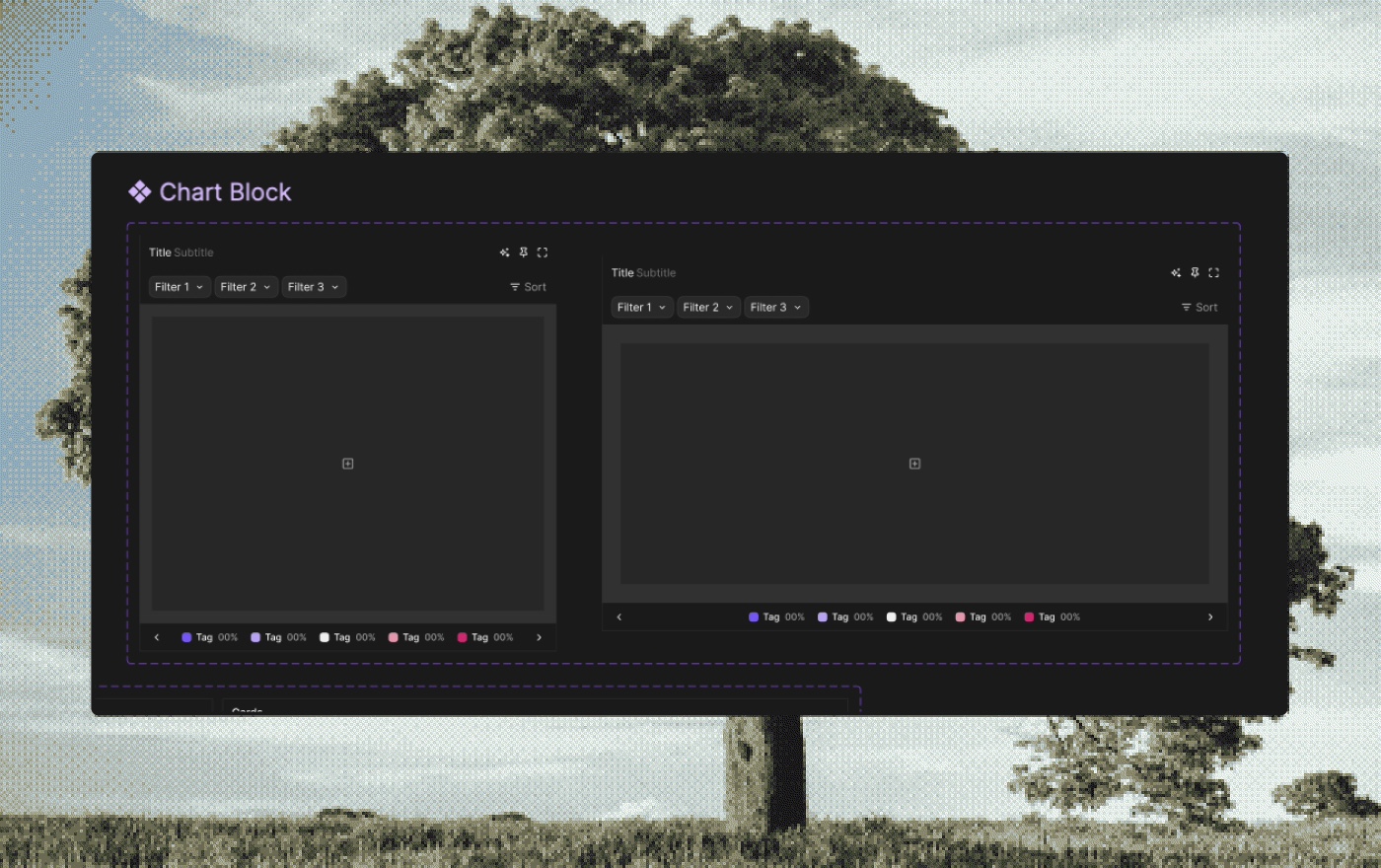
The system that turns a structured prompt into usable interface. Not just components: the logic, structure, and constraints that guide the agent to produce something consistent and well-built every time.
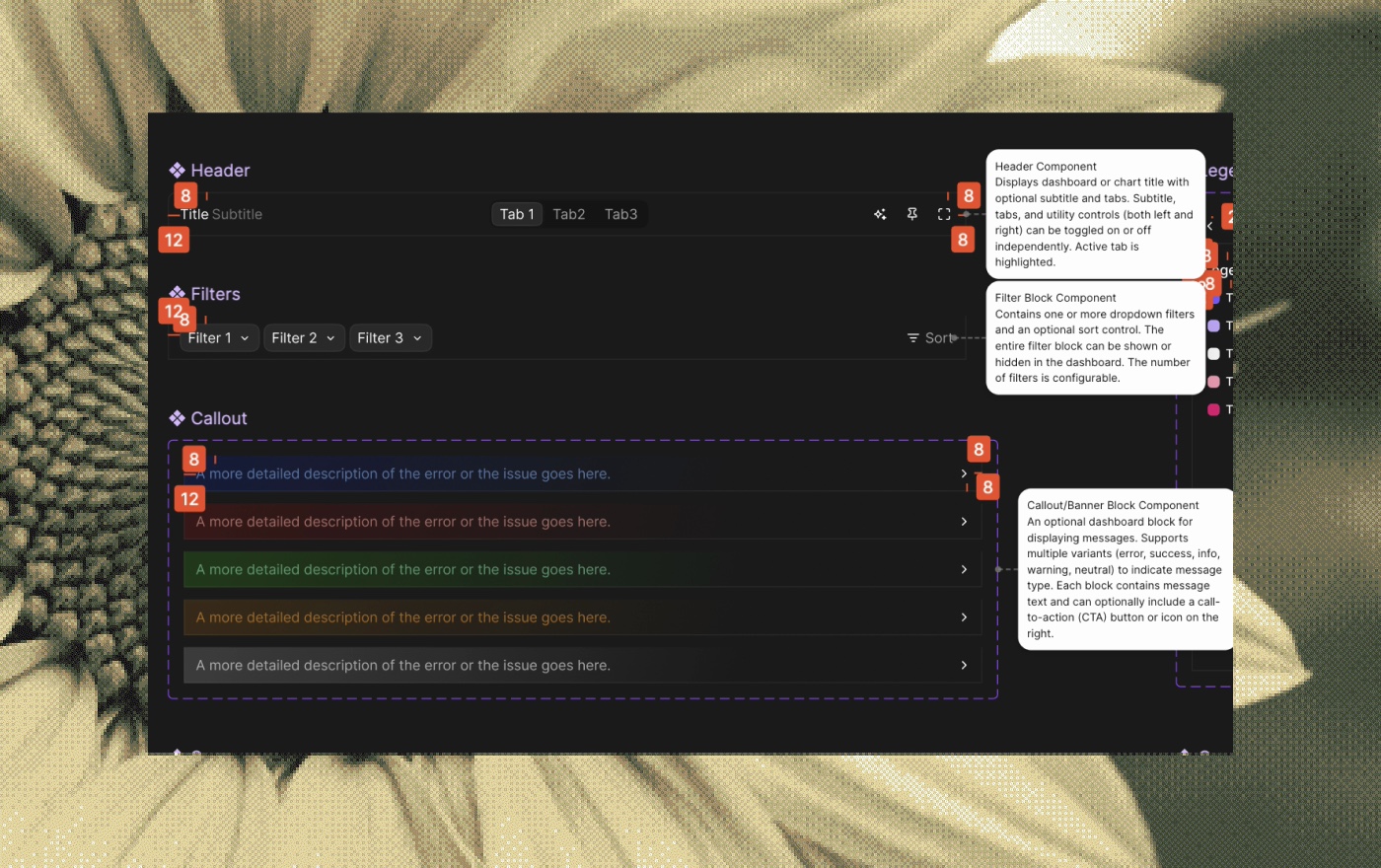
- A shell framework for the system. The foundation that takes a prompt, parses it into component blocks, and holds the hierarchy, layout rules, and spacing that scaffold everything generated on top.
- Core block-level components. Reusable blocks (heading + text + CTA, and the like) that the agent composes. Each had toggleable layers and fallback behavior, so it handled simple and advanced cases without breaking.
- Prompt-matching metadata. Components mapped to prompt patterns. A "pricing table" prompt invokes a multi-column block; "compare plans" triggers an alternate view with icon support.
- Layout and UX rules for the agent. System-level rules for spacing, margin collapse, padding, and responsive scaling, abstracted so the agent followed good design without being told. Constraints like never put two CTAs side by side unless they're in a horizontal card.
- Designed for generative reuse. Instead of hardcoding, I generalized: one "info tile" block serves pricing, feature callouts, or onboarding steps just by swapping its child layers. Fewer base components, more outcomes.
- Visual and interaction heuristics. Documented when to use text-only blocks vs. cards, which components allow interactivity, and how to infer contrast and background from content, so the output was visually coherent, not just valid.
- Accessibility and responsiveness guardrails. Built-in rules for color contrast, readable type sizes, minimum tap targets, and clean scaling across mobile and desktop breakpoints.
This is what let OpenUI generate UI that was production-ready, or close to it, straight out of the box.
Color theming infrastructure
A dynamic theming system so any team could fit OpenUI to their brand (across agents, chat surfaces, and dev tooling) without losing accessibility or coherence.
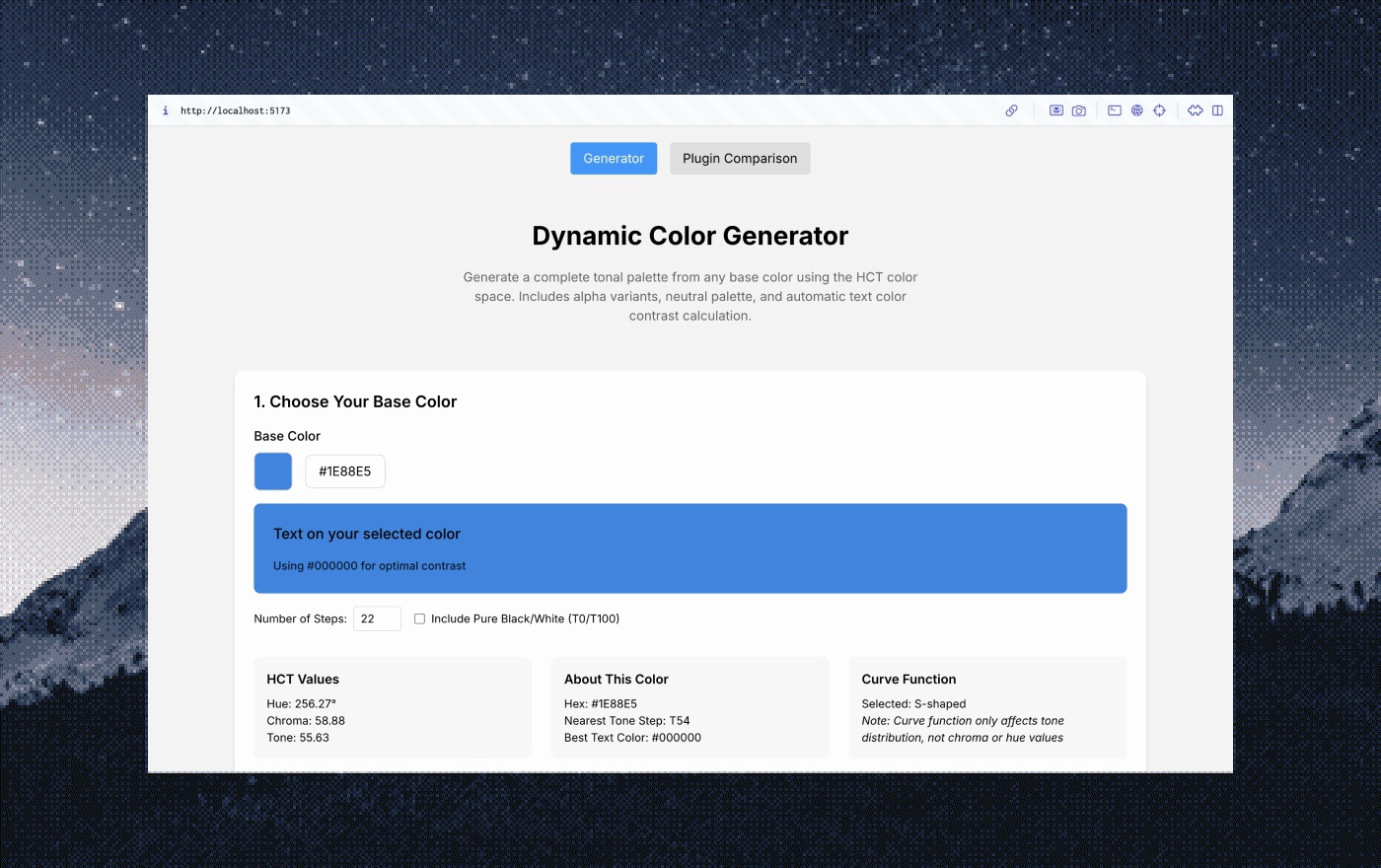
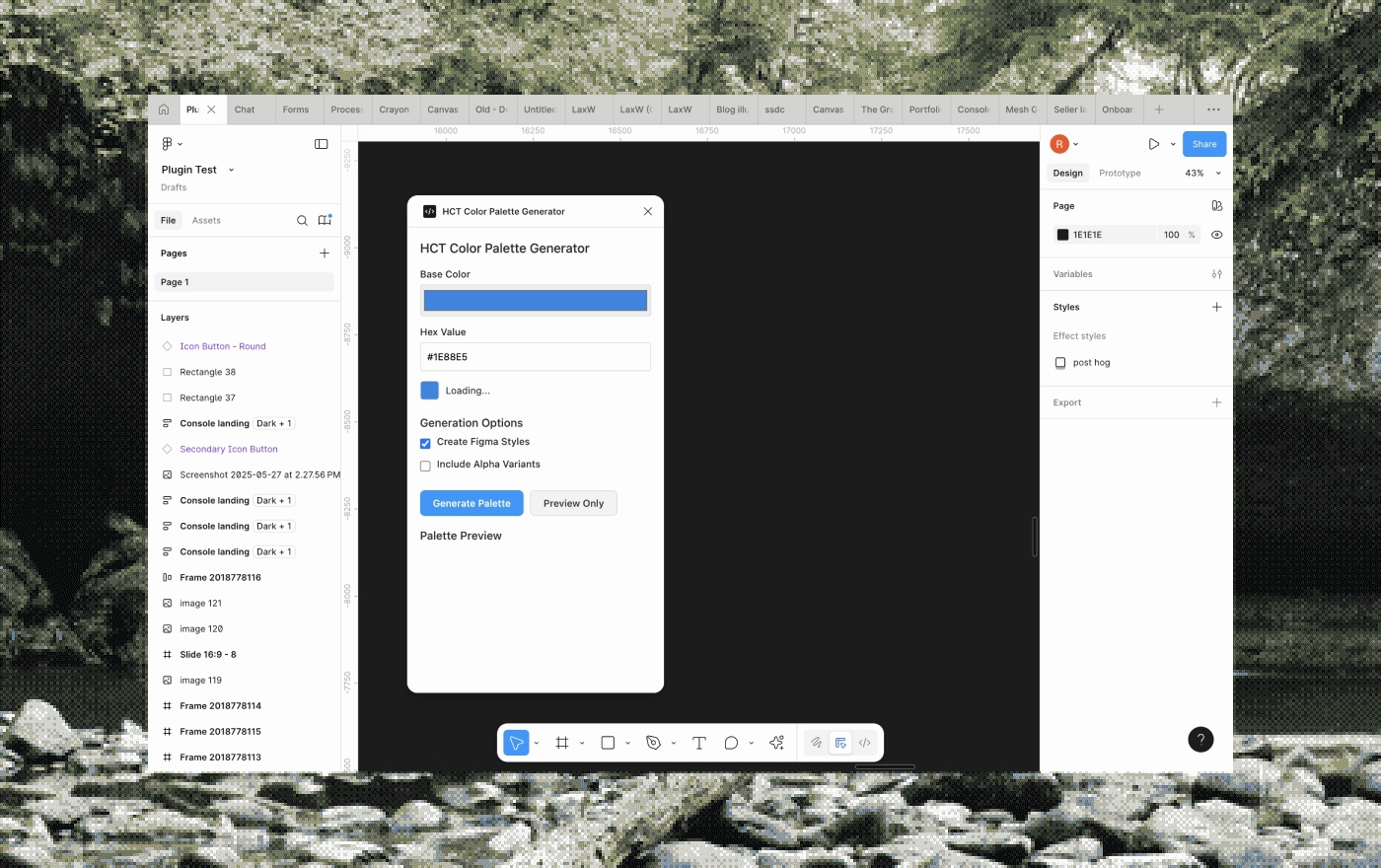
- A full theme from a single input. Enter one brand color (HEX or RGB), and the whole UI updates to a cohesive theme built around it.
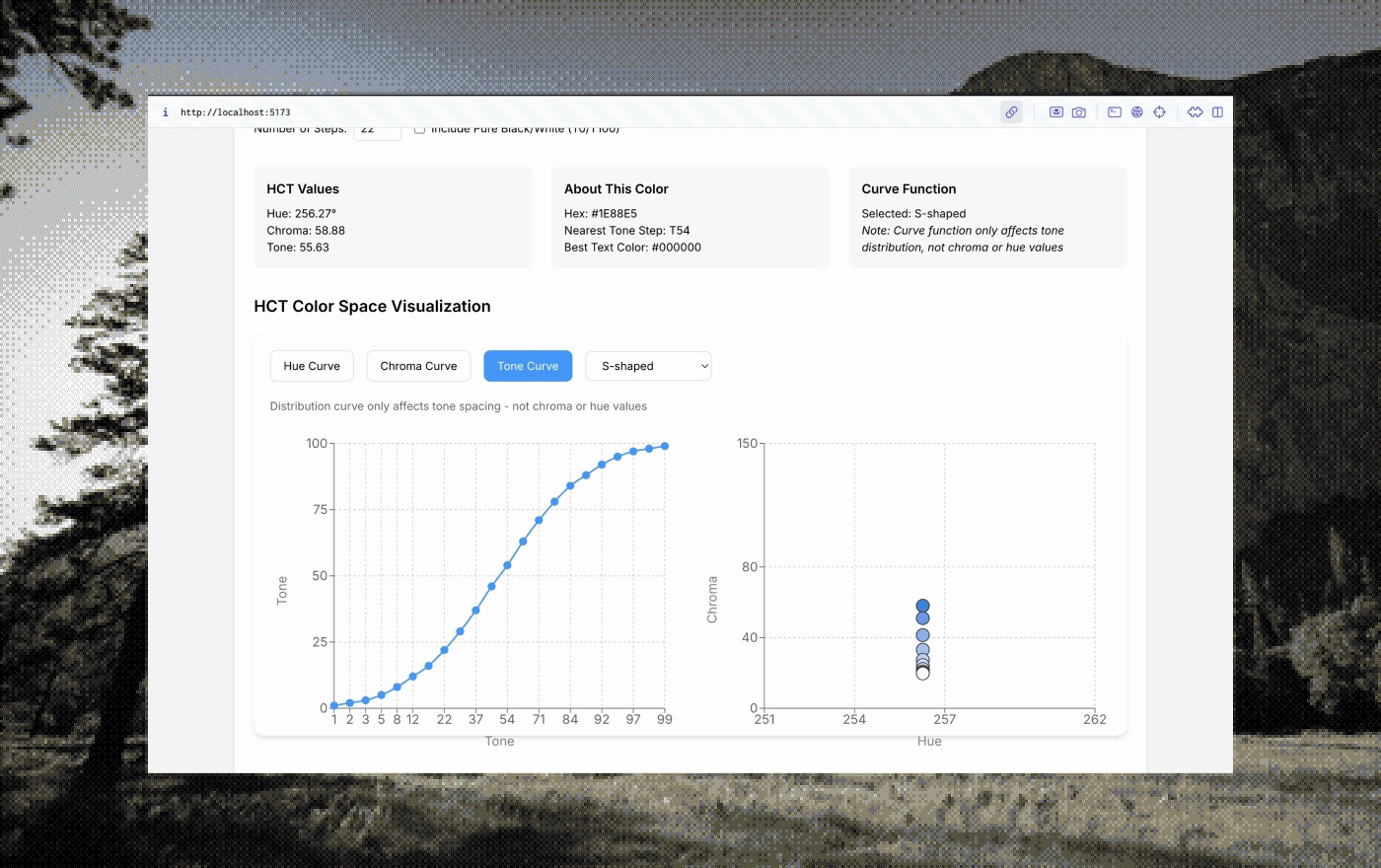
- Generated in a perceptual color space. Rather than mixing tints and shades in RGB, which drifts into uneven contrast, I converted the input to HCT (hue, chroma, tone), a perceptually uniform space, so every variation comes out visually harmonious.
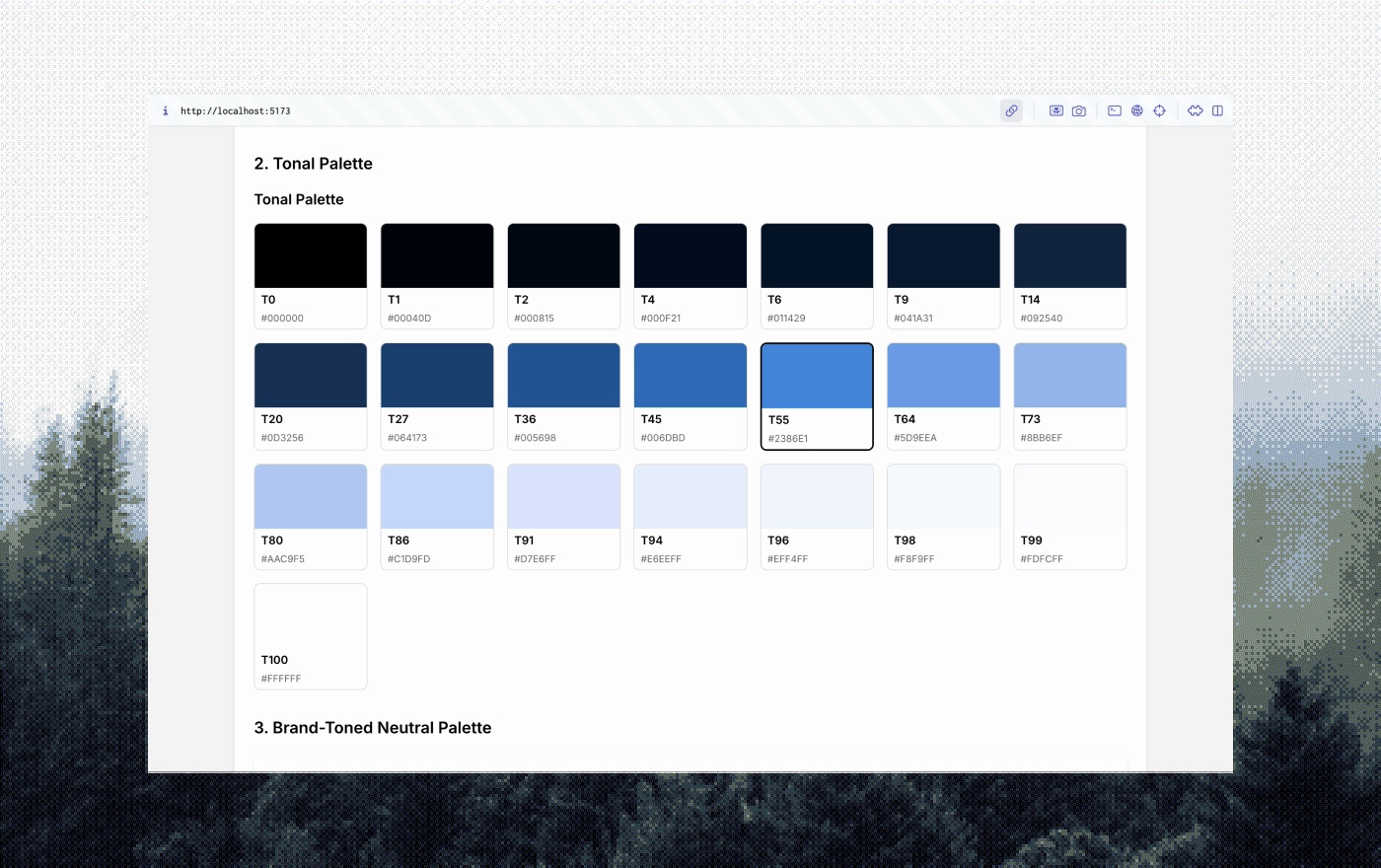
- A palette from tone-based rules. From the HCT color I generated two lighter and two darker tones, a full neutral grayscale subtly tinted by the brand hue, and accent colors shifted to hold contrast in both light and dark.
- Mapped to design tokens. Converted the values back to RGB and mapped them to semantic variables (primary, primary-hover, on-primary, surface, surface-alt, border) so every element picks up a new theme with zero custom overrides.
- A plugin to test and apply themes. Built an interface to preview how a brand color translates across the full UI (components, chat cards, inputs, backgrounds) and to validate contrast ratios and edge cases like low-chroma or off-spectrum inputs.
Developer console
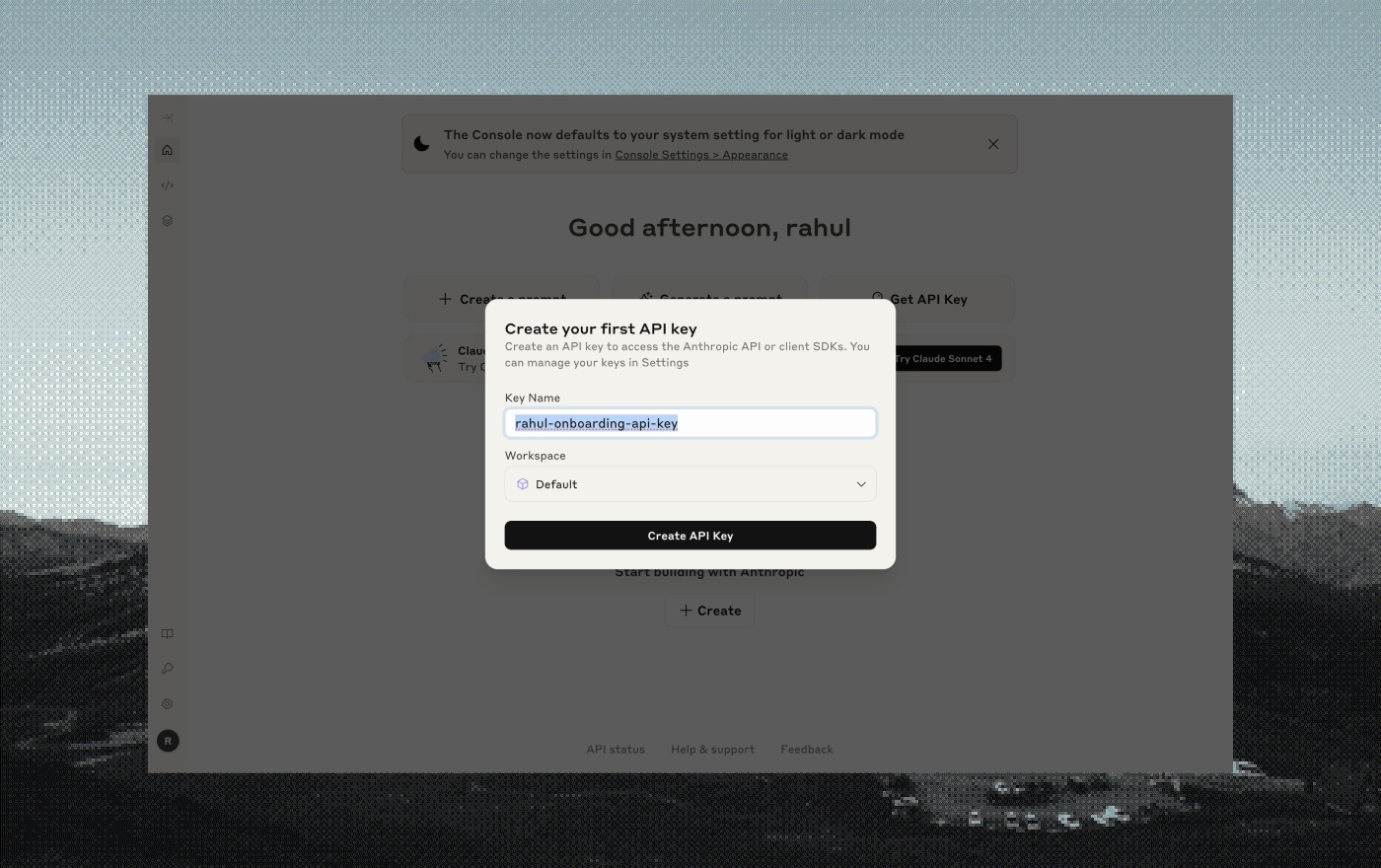
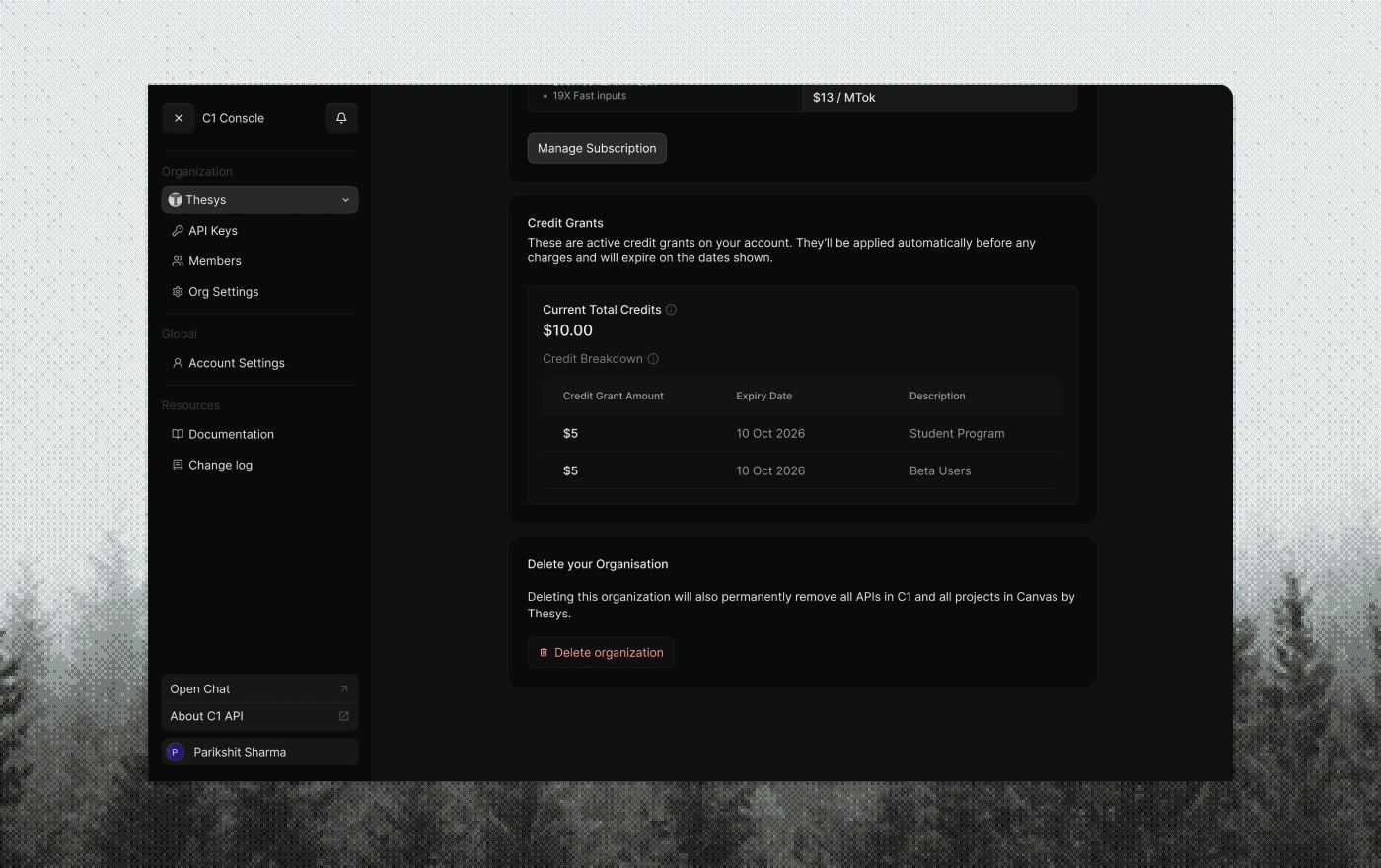
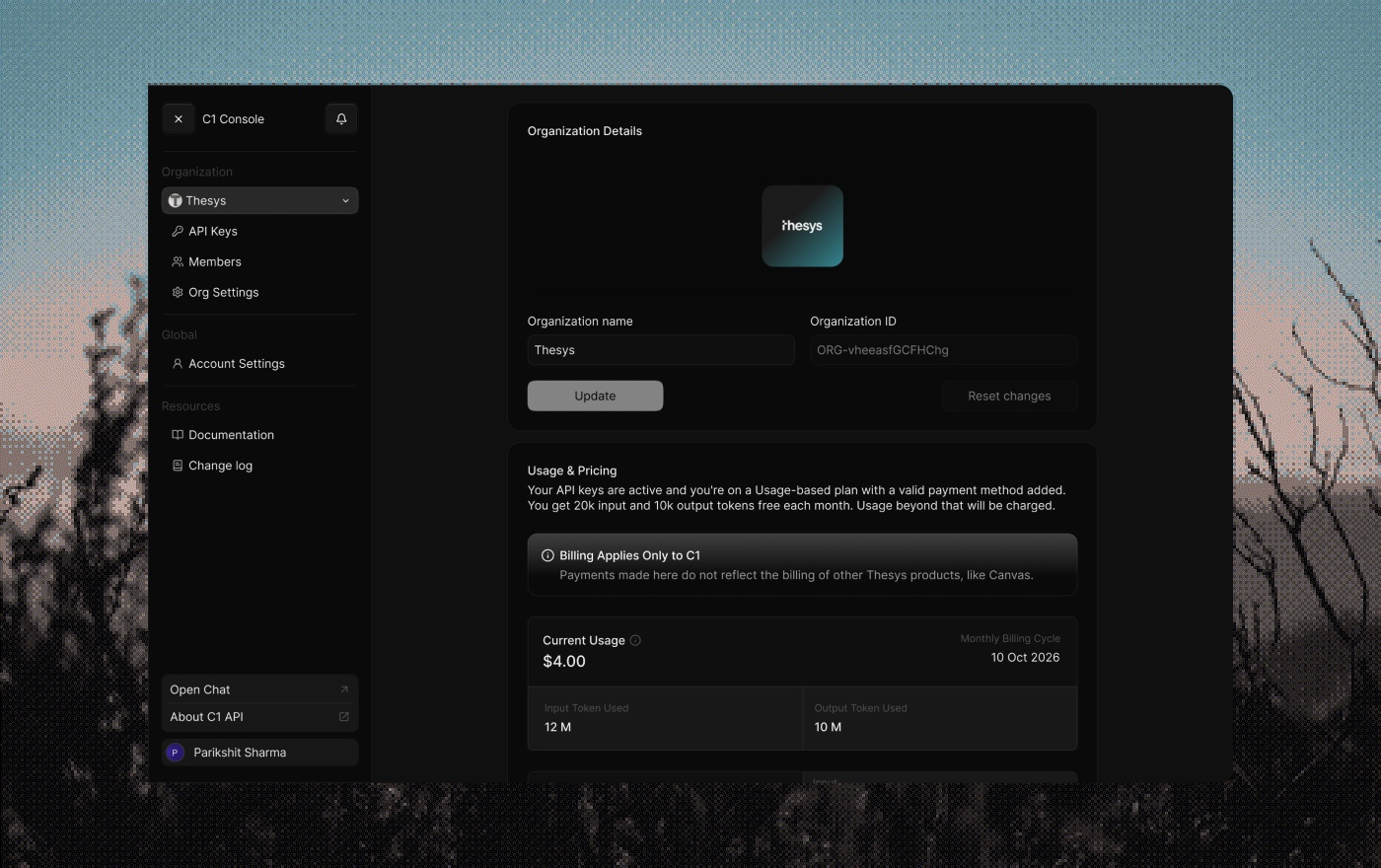
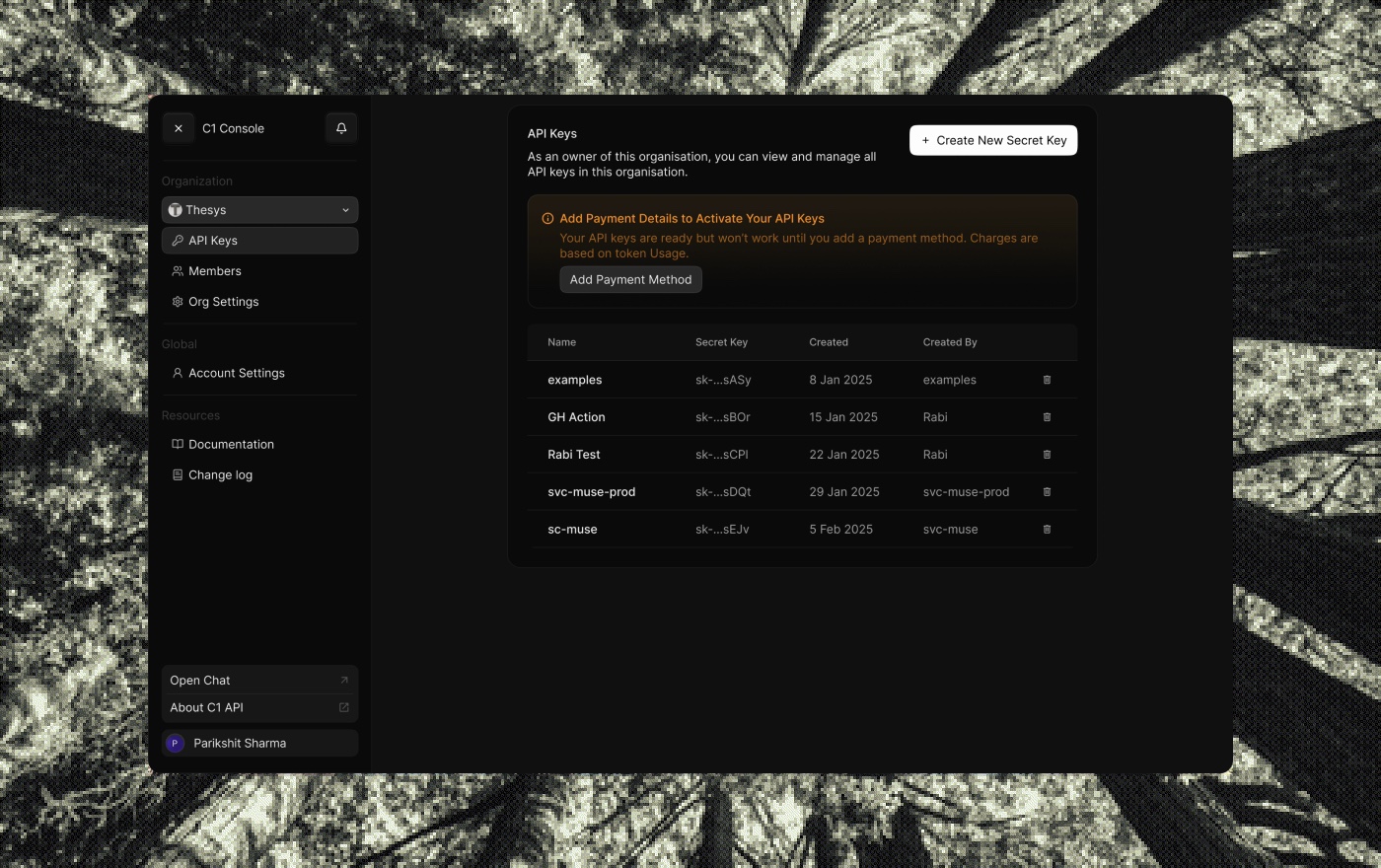
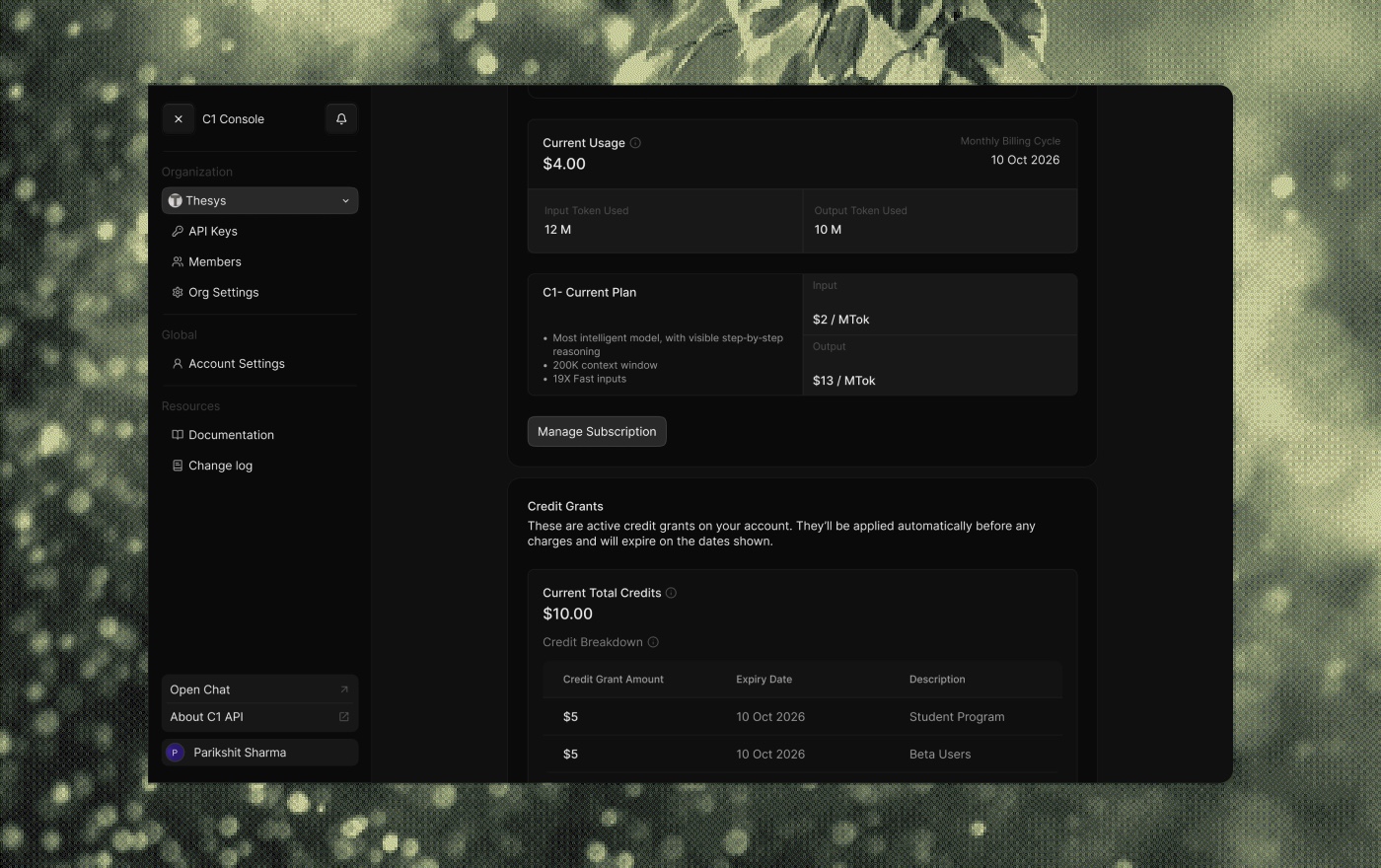
The central space for developers to test, manage, and configure their agents: API keys, debugging, config. It had to feel stable and clear, and scale as OpenUI grew from an internal framework into a product developers use directly.
- Studied the best consoles first. A comparative audit of OpenAI, Anthropic, Cohere, and Hugging Face: how they handle API keys, testing, destructive-action guards, and the mental models they set for developers.
- Mapped critical vs. non-critical config. Decided what needed guardrails (deleting an environment, rotating a live key) and what could be edited freely, which drove the layout, with destructive zones clearly separated and confirmation UX around them.
- Modular, extensible architecture. Planned it to scale from simple API-key testing to logs, usage analytics, environment variables, model settings, even fine-tuning, each a self-contained module inside one unified shell.
- A frictionless API key flow. Clean setup to input and test a key, clear feedback when something's wrong (bad format, expired), and an obvious sense of what the key unlocks, plus dev-friendly copy-to-clipboard and masking.
- A dev-native visual language. No playful abstraction. Monospace where it counts, minimal color, low-key iconography, and spacing that echoes terminals and IDEs, so it felt familiar to the people living in it.
Launch & marketing
Launch videos we made to market OpenUI, plus some of the reactions they got.